


Inter Banking & Money Transfer
4.41.55K Reviews
App Specs
- Version
- 26.15.1
- Updated On
- License
- Free
- Downloads
- 100,000,000+
- Developer
- Banco Inter SA
- Categories
- Finance
- Platform
- Android, iOS
Screenshots

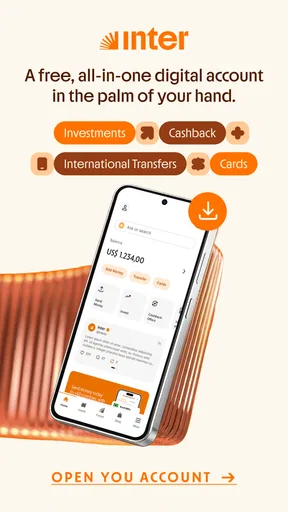
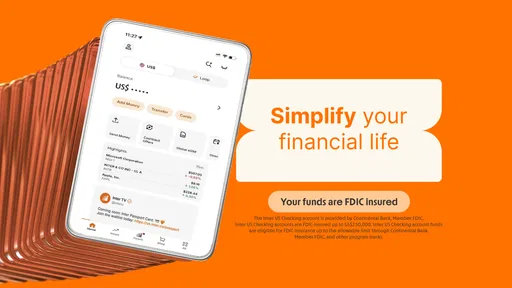
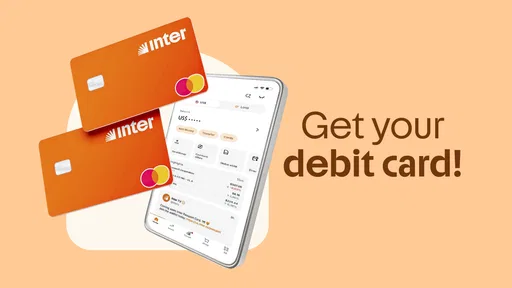
 Analysis by AppCompare
When I choose a banking app, I care less about having the longest feature list and more about whether it can simplify the routines I actually repeat: checking what came in, paying someone, and keeping an eye on spending. Inter Banking & Money Transfer is aimed at people who want those everyday banking tasks alongside investing and international transfers in one digital service. That combination is appealing, but it is worth deciding whether an all-in-one approach fits how you already manage money.
Start with the jobs you need it to do
I would first ask whether I want a primary banking app or just a companion for one specific task. If I regularly move between banking, investing, and cross-border transfers, having those needs represented in one place could make my financial routine feel less scattered. If I only need a simple way to check an account or make occasional payments, a narrower app may be easier to evaluate and maintain.
The app is free, which makes it accessible to try, but “free” does not tell me whether every financial service or transaction suits my circumstances. Before moving important routines over, I would check the terms shown for the particular account, investment, or transfer I intend to use. For international transfers especially, I would review the displayed costs, exchange details, destination, and expected timing before confirming; convenience is useful, but it should not replace checking the transaction itself.
Who is likely to get the most from it?
I see the strongest fit for someone who wants a digital-first relationship with Banco Inter SA and values having several kinds of financial activity gathered in a single app. It may also suit people who are comfortable handling routine money tasks on a phone rather than relying on a branch-based process. With an average rating of 4.4 from around 4.7 million ratings and over 50 million installs, it has a substantial user base, though popularity alone cannot tell you whether its particular tools match your needs.
A practical example: I could use one banking app to review my balance before a weekly shop, then later check an investment or prepare an international transfer without starting from a separate provider. I would still pause at the confirmation screen, verify the recipient and amount, and keep a record of the transaction. That small habit matters more when a transfer crosses borders, where correcting a mistake may be less straightforward than fixing a typo in a note.
Your One-Stop Financial Hub
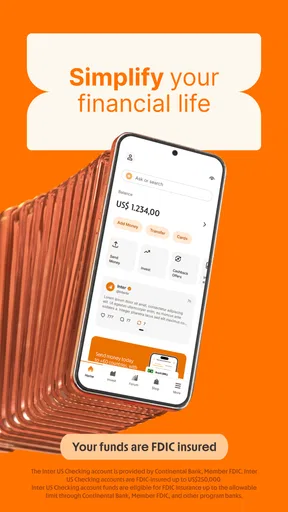
Let’s dive into what makes Inter Banking & Money Transfer a standout in the crowded app market. First off, the app’s interface is clean and intuitive. You don’t need to be a tech guru to navigate through its features. Everything is laid out logically, making it simple to perform transactions or check your balance with just a few taps.
One feature I love is how seamlessly it integrates multiple accounts. Whether you’re managing savings, checking, or even a credit card account, it’s all under one roof. No more logging into different apps or websites. This integration saves time and keeps your financial information organized.
Worth Reading Before You Choose

Baby Panda World Brings Quick Play to Modern Phones, but Its Game Library Feels Busy

ESPN’s Live Game View Makes Following Close Games Easier

QuizzLand Review: A Good Fit for Short Trivia Breaks, Not Every Player

Basketball Stars: Multiplayer Is Fast, but Can It Recover When Matches Go Wrong?

WEBTOON Turns Phone Updates Into a Better Reading Routine

Link to Windows Runs on Shared Habits, Not Social Feeds
Transfer Money with Ease
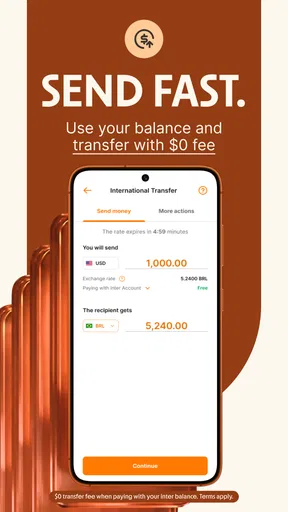
Now, let’s talk about money transfers. With Inter Banking & Money Transfer, sending money to friends, family, or even paying bills is a breeze. The app supports both local and international transfers, ensuring you can send money anywhere in the world without a hitch.
The app’s transfer process is straightforward. You select the recipient, enter the amount, and the app takes care of the rest. Plus, it provides real-time updates on the status of your transfer, so you’re never left wondering where your money is.
Think through transfers before you switch
For a recurring international payment, I would treat the recipient setup as carefully as the payment itself: confirm the destination details from a trusted source, then review them again before sending. I would also avoid assuming that a transfer is complete simply because I have submitted it; I would use the status information and keep any confirmation available until the recipient has received the funds. Those checks are practical even when an app makes the steps feel quick.
Compared with a dedicated transfer service, a banking app may be more convenient if the money starts in an account you already use there. A specialist service may be a better fit if you want to compare transfer-specific options closely or if your needs involve a destination or payment pattern that the banking app does not handle as you expect. I would compare the actual terms for the exact transfer rather than assume that “international” means identical coverage, speed, or cost across providers.
Security and everyday control
Of course, when it comes to finances, security is paramount. This app doesn’t skimp on that. It uses top-notch encryption and multi-factor authentication to safeguard your data. You can rest easy knowing your information is protected.
Moreover, the app sends you instant notifications for every transaction. This feature keeps you informed and helps detect any suspicious activity immediately. It’s like having a security guard for your finances.
Even with useful protections, I would not treat notifications as a substitute for checking account activity. I would review alerts promptly, keep my device access protected, and contact the bank through a channel I trust if a transaction looks unfamiliar. If I share a phone or often leave it unattended, I would be especially deliberate about screen privacy and sign-out habits. That is a sensible trade-off for anyone placing banking and investing tasks on one device.
Tracking and budgeting made easy
If you’re someone who likes to keep tabs on your spending, this app has you covered. It offers robust budgeting tools that help you allocate funds, track expenses, and even set savings goals. The app provides insightful analytics, showing you where your money is going and suggesting ways to save more effectively.
And for those who love a bit of gamification, the app’s budgeting challenges can make saving money feel like a fun game. Who knew managing finances could be so engaging?
One useful way to make budgeting insights actionable is to check them at a consistent point in the week, then compare what the app shows with the bills and purchases you know are coming. I would use any suggested saving idea as a prompt to think, not an instruction to follow blindly: a target that ignores an upcoming bill or an irregular expense can make a budget feel unrealistic. The benefit is not simply seeing categories, but noticing a pattern early enough to make a deliberate choice.
When another kind of app may be better
An all-in-one banking app is not automatically the best home for every financial task. If you prefer keeping investments with a separate provider, want a budgeting tool independent of your bank, or need a transfer workflow that you can compare across dedicated services, using separate apps may give you a clearer division of responsibilities. That setup takes more switching between services, but it can make it easier to choose each provider for a specific purpose.
I would also think carefully before moving every routine at once. Start with a low-stakes task, learn where balances, transfer confirmations, and help options sit, and only then decide whether it deserves a larger role. This is particularly useful if you are changing your main banking habit: keep access to your existing arrangement until you have verified that the new routine works for your regular payments and record-keeping.
Support and the practical questions I would ask
I’ve also been impressed with the app’s customer support. Whenever I had questions, their team was quick to respond and incredibly helpful. They offer support through chat, email, and phone, which is great for any urgent issues. It’s comforting to know that help is just a click away.
In addition, the app’s FAQ and help sections are well-documented. They cover a wide range of topics, making it easy to find answers to common questions.
Before relying on support for a time-sensitive issue, I would identify the in-app help route and keep the details of a relevant transaction handy. If I am considering a particular investment or transfer, I would read its terms in the app rather than assume that general help material answers every account-specific question. That habit helps separate basic navigation questions from decisions where the exact conditions matter.
Inter Banking & Money Transfer is free and is rated for Everyone. It was released on May 4, 2016, and version 26.7.2 lists Android 7.0 as its minimum operating-system requirement. Those details make it useful to check compatibility before installing, especially on an older device; the app’s broad reach does not guarantee the same experience on every phone.
Switch for convenience, not just consolidation
Moving to one app can reduce the mental overhead of remembering where to look, but consolidation has a cost: you become more dependent on one service for several parts of your routine. Before switching, I would list the tasks I use most, make sure I know how to find their records, and decide how I will monitor payments if I cannot access the app temporarily. Keeping a separate record of important transfer details is a modest precaution, not an argument against using mobile banking.
I would also avoid choosing an app solely because it combines features. The real test is whether the account, investment, and transfer options available to me suit my actual use. Someone who rarely invests or sends money abroad may not gain much from having those functions nearby, while a person who uses several of them could value the convenience enough to accept a single-app setup.
Conclusion: Is It Worth It?
All in all, Inter Banking & Money Transfer is a powerful tool for anyone looking to streamline their financial management. It’s user-friendly, secure, and packed with features that make managing money not just easier, but also more insightful.
Whether you’re sending money abroad, keeping track of your budget, or simply checking your balance, this app does it all with finesse. If you’re tired of juggling multiple banking apps and want everything in one place, give this app a try. It might just change the way you handle your finances.
My recommendation is to try it if you want Banco Inter SA’s digital banking, investing, and transfer functions within one mobile experience, and to judge it by the specific tasks you complete rather than by its install count. If your priority is a dedicated budgeting or transfer workflow, compare that specialist option on its own terms before switching. For someone who values consolidation and is willing to check transaction details carefully, this app is a reasonable place to start.
Pros
- User-friendly interface for easy navigation.
- Supports multiple currencies for flexibility.
- Quick transfer times ensure efficiency.
- Secure encryption protects user data.
- Low transfer fees save money.
Cons
- Limited customer support availability.
- Occasional app crashes reported.
- Some features require premium access.
- Compatibility issues on older devices.
- Verification process can be lengthy.
FAQs for Inter Banking & Money Transfer
What features does Inter Banking & Money Transfer offer?
Inter Banking & Money Transfer provides a range of features including real-time money transfers, bill payments, account management, and balance checks. It also offers currency conversion, transaction history, and customer support. The app supports multiple currencies and provides a secure platform for all your banking needs.
Is Inter Banking & Money Transfer secure to use?
Yes, the app prioritizes user security by implementing encryption protocols and multi-factor authentication. It ensures that your personal and financial information is protected. Regular updates and security patches are applied to safeguard against potential threats, making it safe for users to conduct transactions.
Can I use Inter Banking & Money Transfer for international transactions?
Absolutely. The app supports international money transfers, allowing you to send and receive money across borders. It offers competitive exchange rates and low transaction fees, making it a convenient option for users who need to manage finances globally.
Are there any fees associated with using Inter Banking & Money Transfer?
While the app itself is free to download, certain services like international money transfers and currency conversions may incur fees. It's advisable to review the fee schedule within the app to understand any charges that may apply to specific transactions.
Is Inter Banking & Money Transfer compatible with both Android and iOS?
Yes, Inter Banking & Money Transfer is available on both Android and iOS platforms. The app is optimized for different devices, ensuring a seamless user experience regardless of the operating system. You can download it from Google Play Store or Apple App Store.


